POPcon cannot generate NDRs itself — that must be handled by Exchange. The goal is to have Exchange reject oversized messages (generating an NDR) rather than having POPcon quarantine them.
Step 1: Increase the receive connector limit
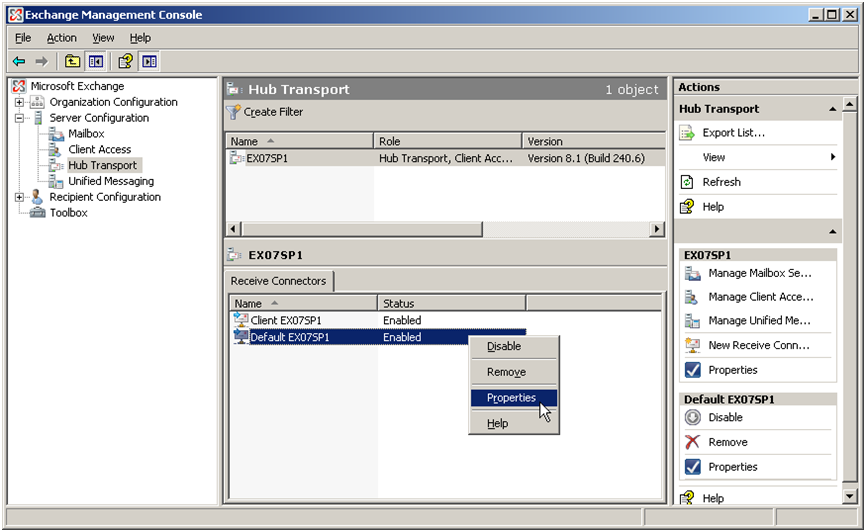
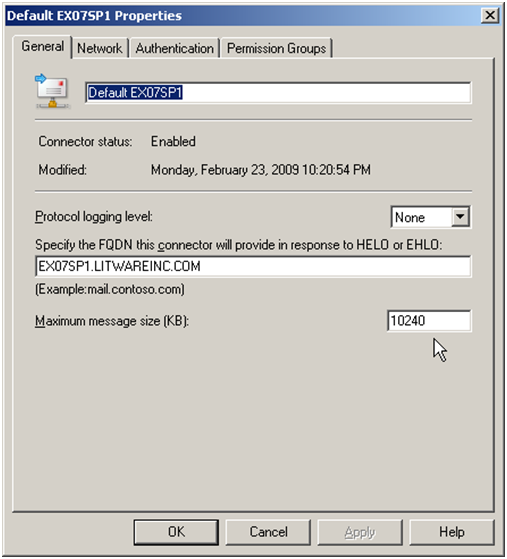
In Exchange 2007/2010: Server Configuration > Hub Transport > Receive Connectors. Increase the maximum message size to 100 MB (102400 KB) so the connector does not reject at the wrong level.
Step 2: Set the organisation limit
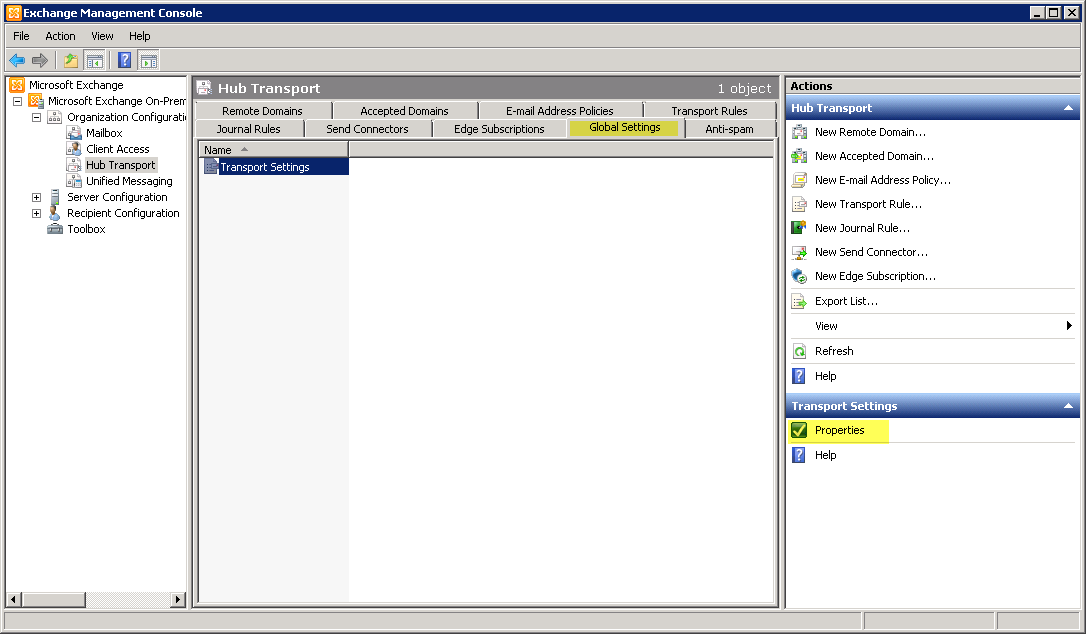
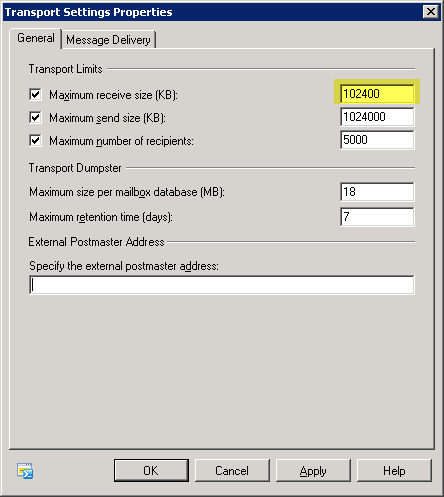
Organization Configuration > Hub Transport > Global Settings > Transport Settings Properties: set "Maximum receive size" to your desired limit (e.g. 20 MB).
When a message exceeds the Transport Settings limit, Exchange automatically sends an NDR to the sender. POPcon's TOOLARGE folder will no longer be used.
Screenshots — step by step