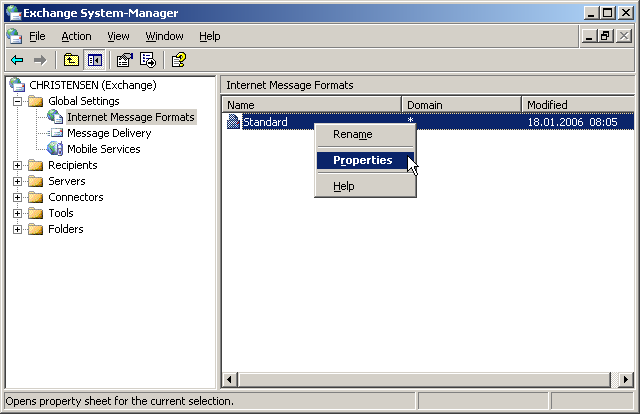
- Open Exchange System Manager.
- Go to Global Settings > Internet Message Formats.
- Double-click the default entry.
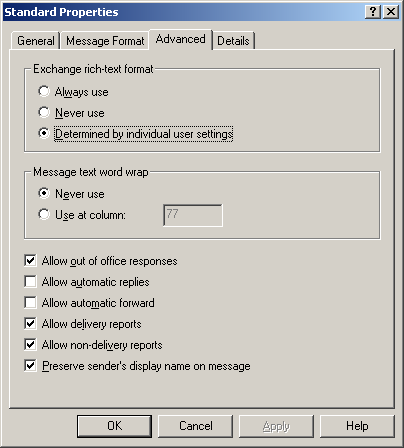
- Check "Allow non-delivery reports".
- Click OK.
External senders will now receive bounce messages when email cannot be delivered to a recipient on your Exchange server.
Screenshots — step by step