← Knowledge Base

Windows Data Execution Prevention (DEP) is crashing the POPcon antivirus engine

Windows DEP monitors program memory usage and can interfere with the antivirus scanning engine in POPcon PRO.

Fix

  1. Open Control Panel > System > Advanced.
  2. Under Performance, click Settings.
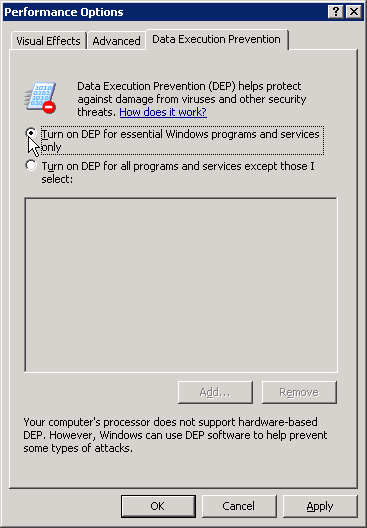
  3. Go to the Data Execution Prevention tab.
  4. Select "Turn on DEP for essential Windows programs and services only".
  5. Click OK and restart the server.

Screenshots — step by step
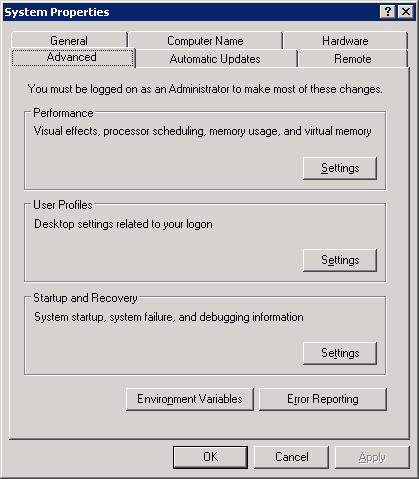
Open up Control Panel > System > Advanced
Choose Performance Settings and then go to "Data Execution Prevention"

Need more help? Contact support