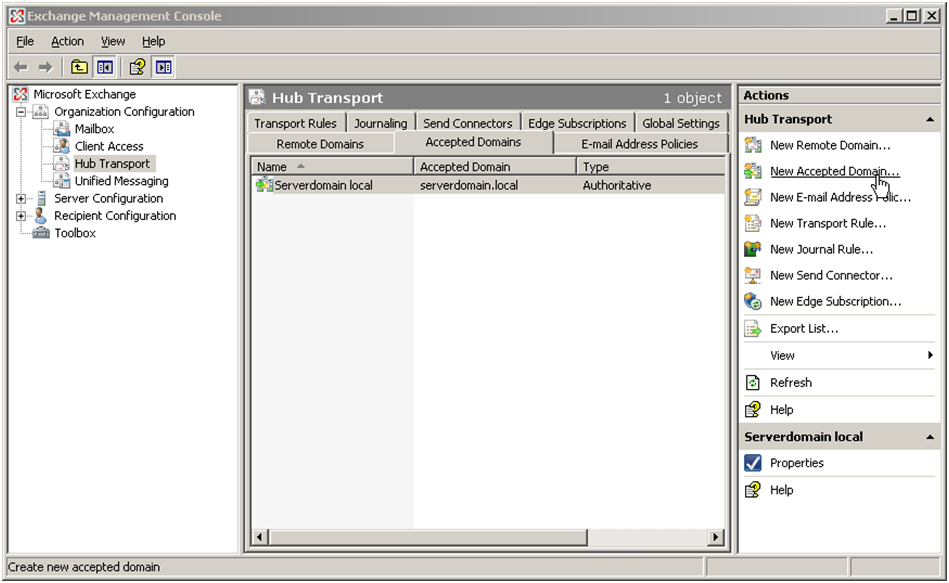
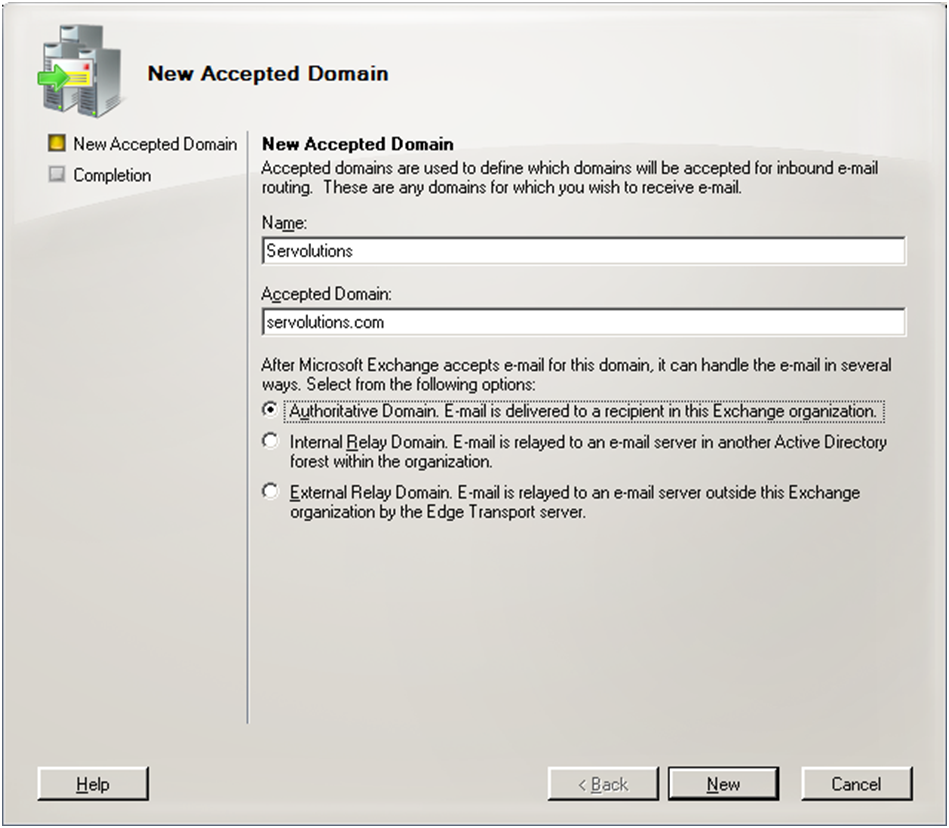
This error means your internet domain has not been added to Exchange's list of accepted domains. Exchange rejects delivery for any domain it does not own.
What Exchange checks before it answers, and what to do when a host really has to relay to external recipients, is explained in the guide 550 5.7.1 Unable to relay when a connector submits to Exchange.
Exchange 2007 / 2010 / 2013 / 2016
- Open the Exchange Management Console / Admin Center.
- Navigate to Organization Configuration > Hub Transport > Accepted Domains (or Mail Flow > Accepted Domains).
- Click New Accepted Domain.
- Enter your internet domain name (e.g.
yourcompany.com) and select Authoritative Domain. - Click Finish and retry.
Exchange 2003
Add your domain to the Default Policy under Recipients > Recipient Policies in Exchange System Manager.
Screenshots — step by step