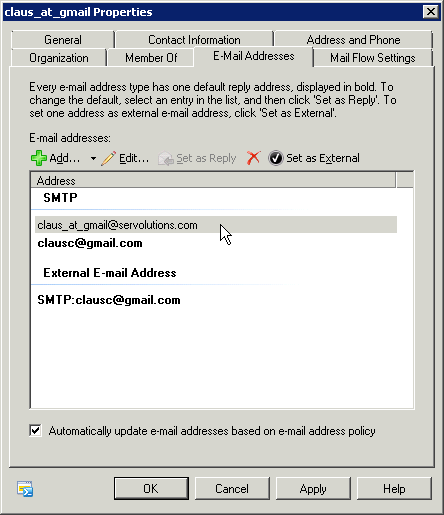
POPcon delivers to Exchange via SMTP. To forward an address to an external internet mailbox, create a Mail Contact in Exchange that points to the external address, then use that contact's local address in POPcon.
Exchange 2007 / 2010 / 2013
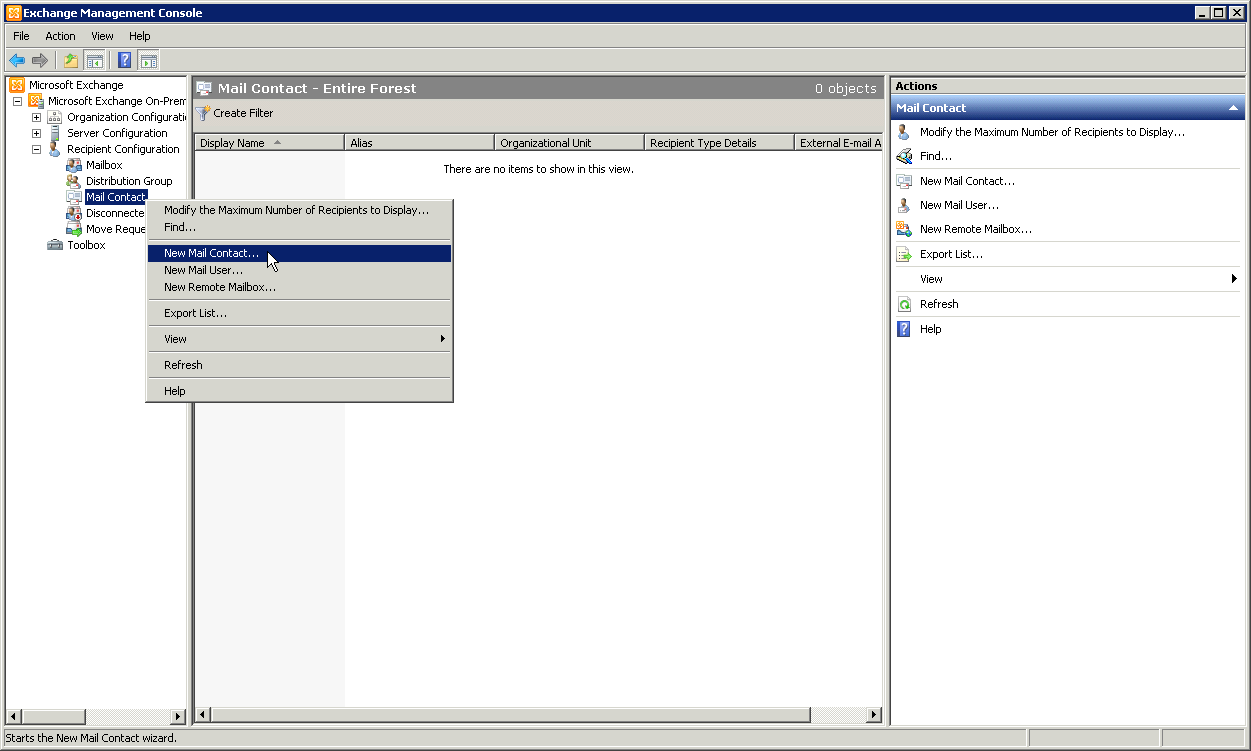
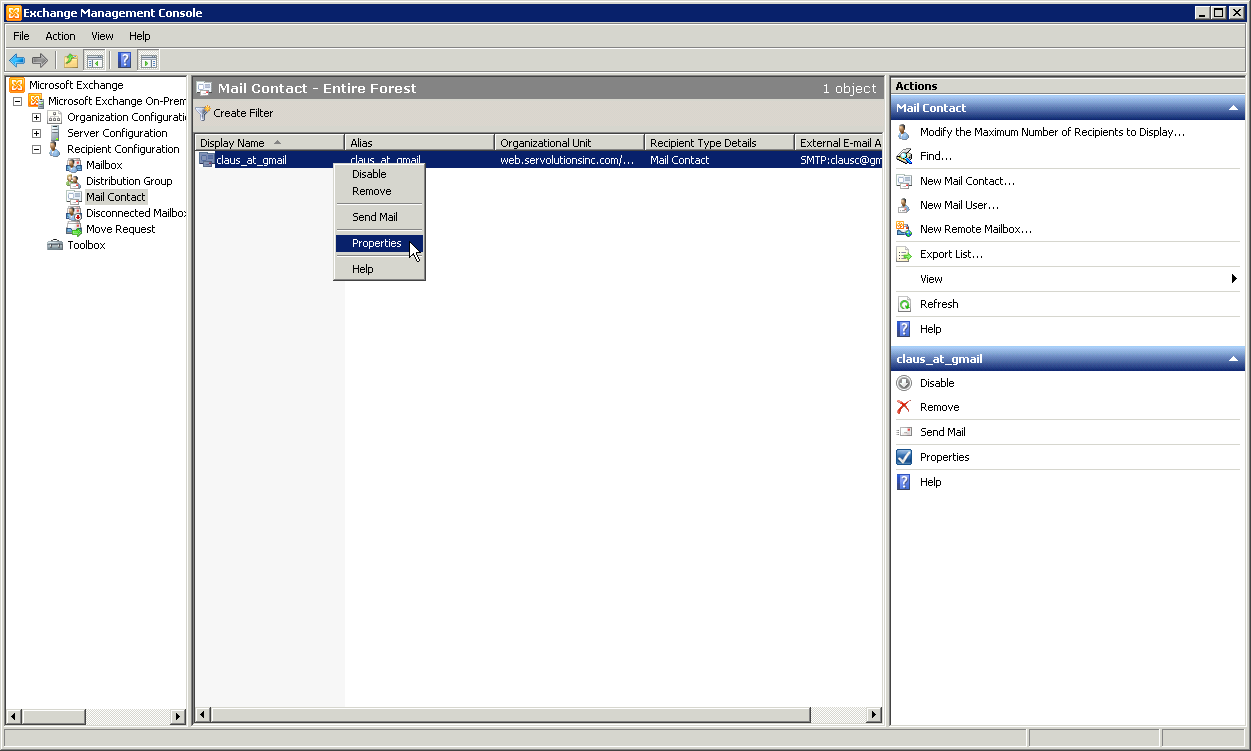
- In Exchange Management Console, go to Recipient Configuration > Mail Contact.
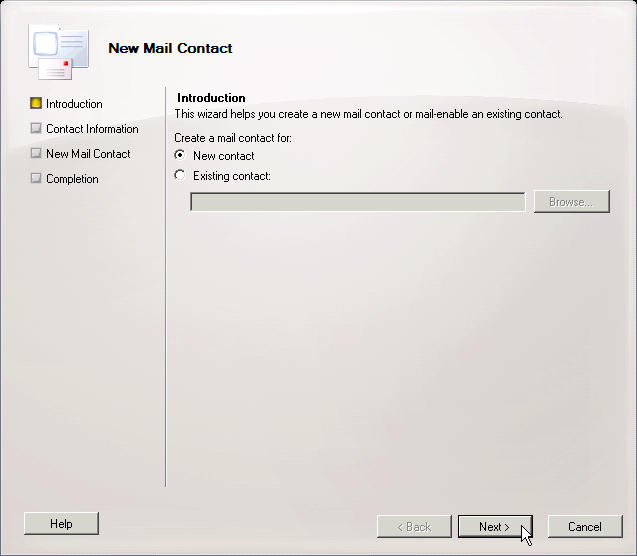
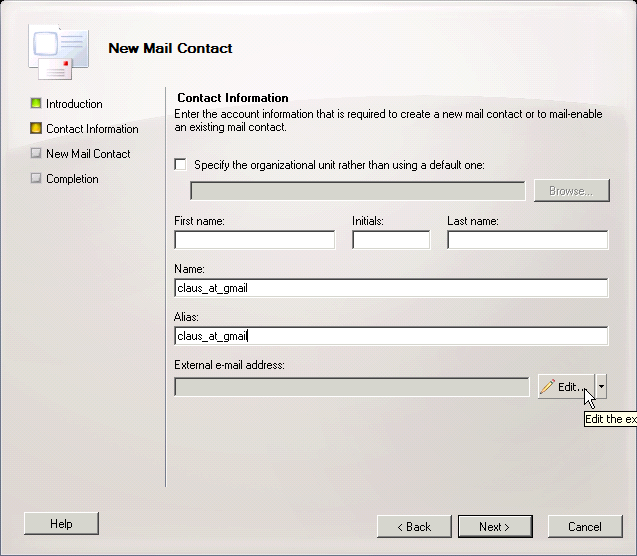
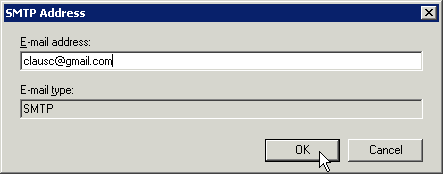
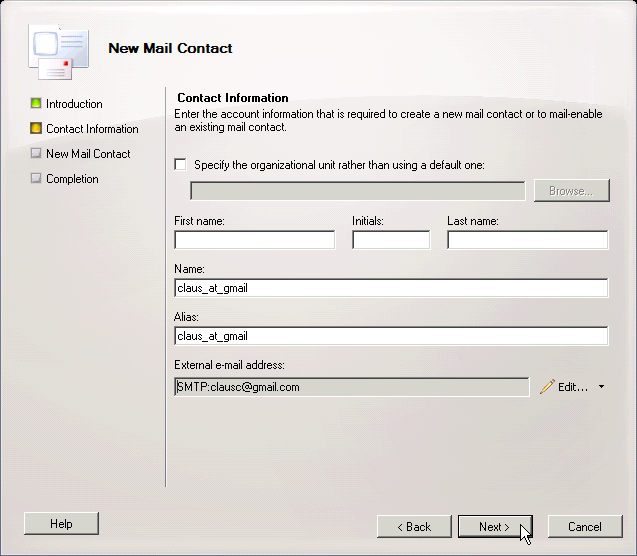
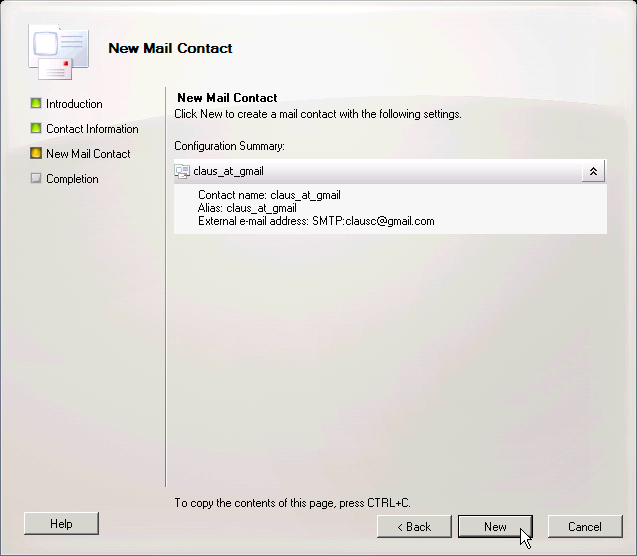
- Create a new Mail Contact with the external email address.
- In POPcon, configure the account to deliver to the contact's local Exchange address.
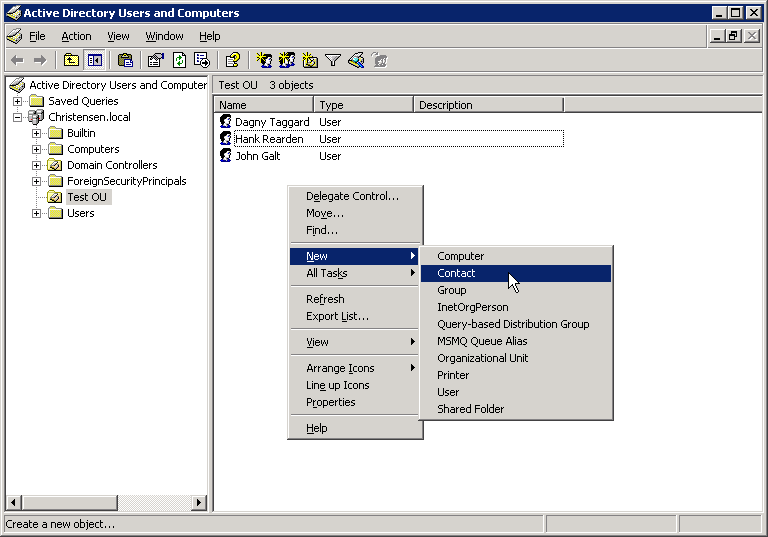
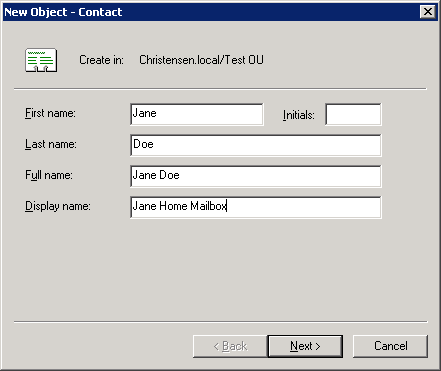
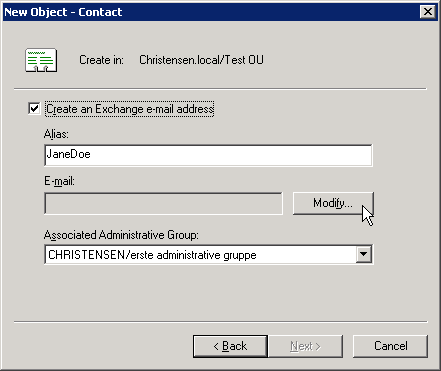
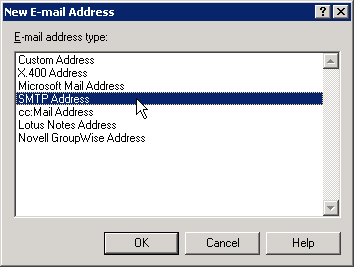
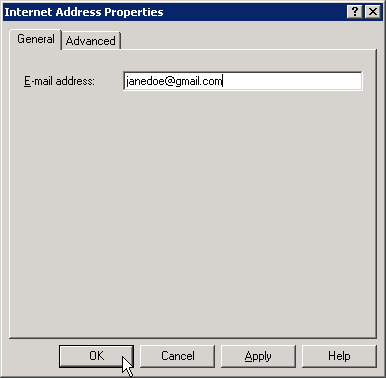
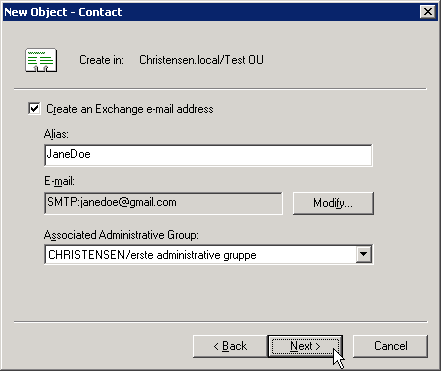
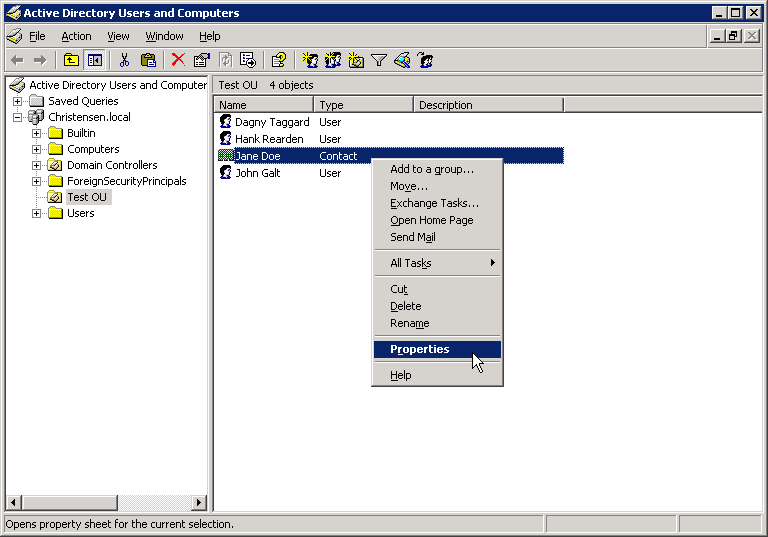
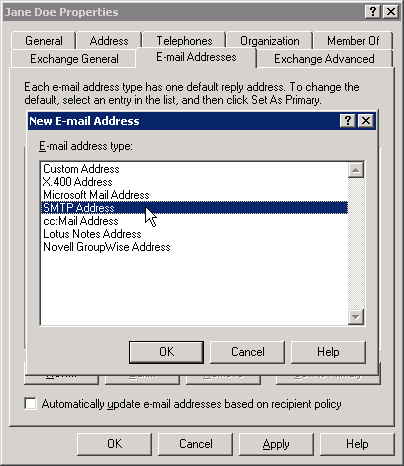
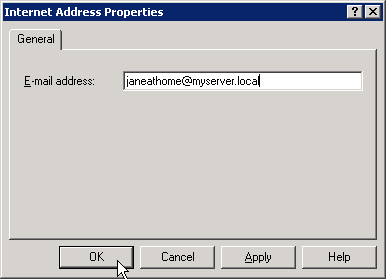
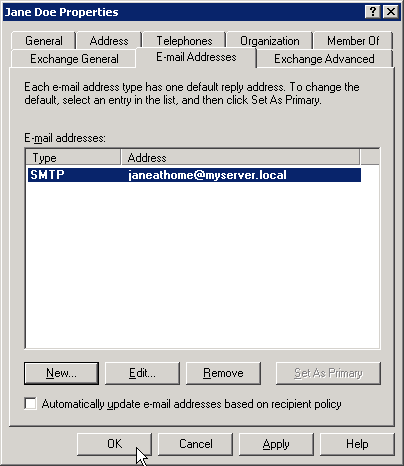
Exchange 2003
Use Active Directory Users and Computers to create a Contact with an external SMTP address. Use the contact's local address in POPcon.
Screenshots — step by step