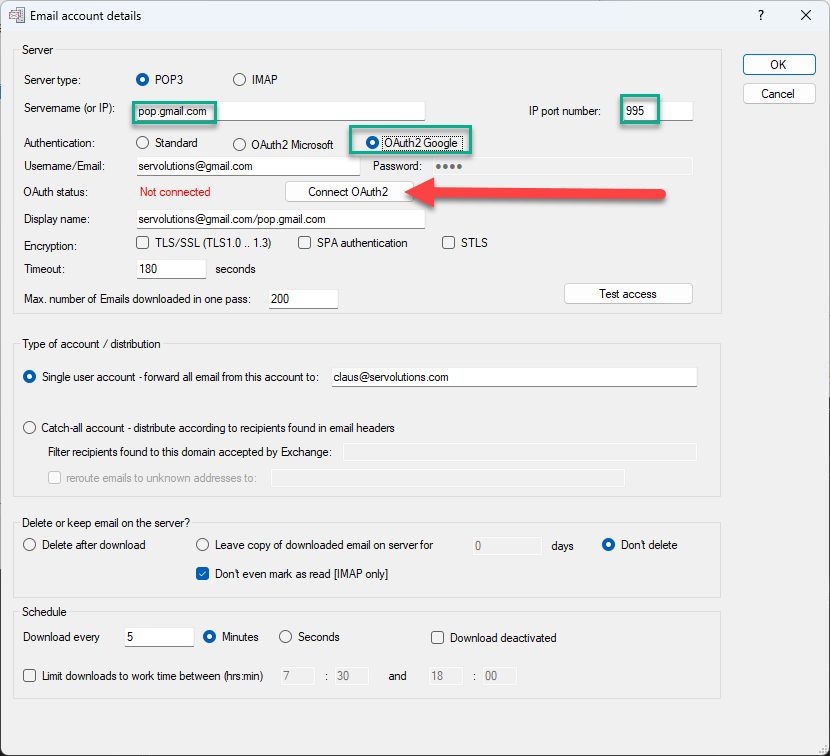
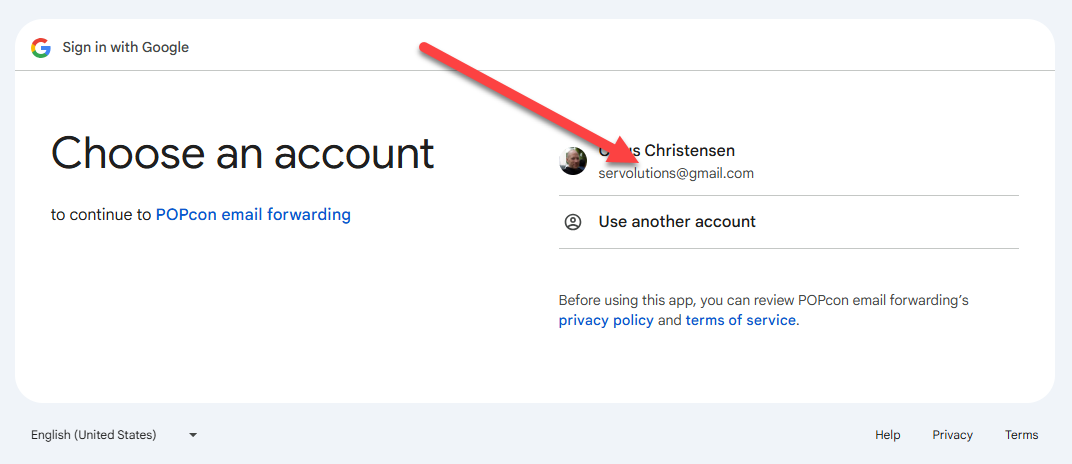
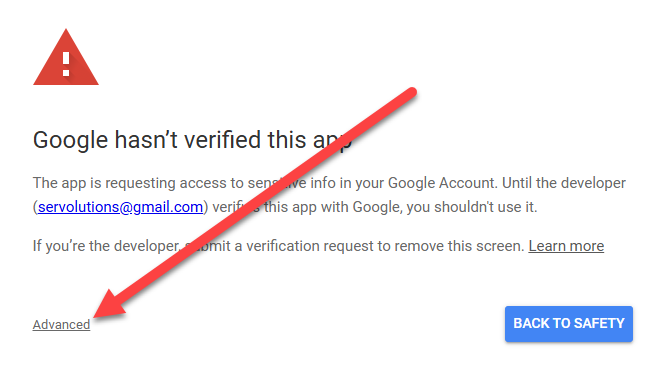
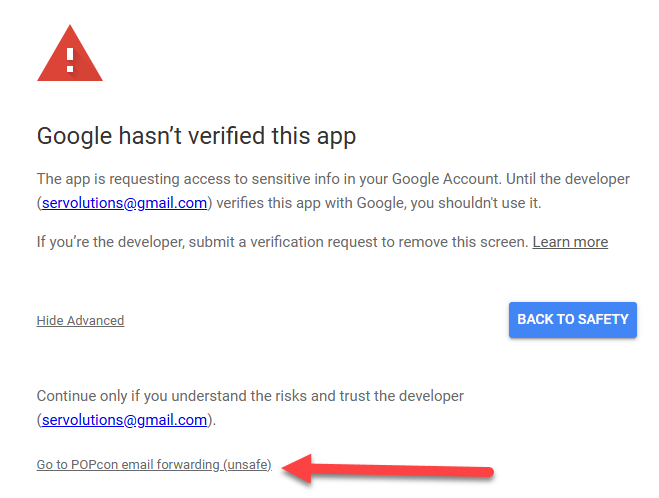
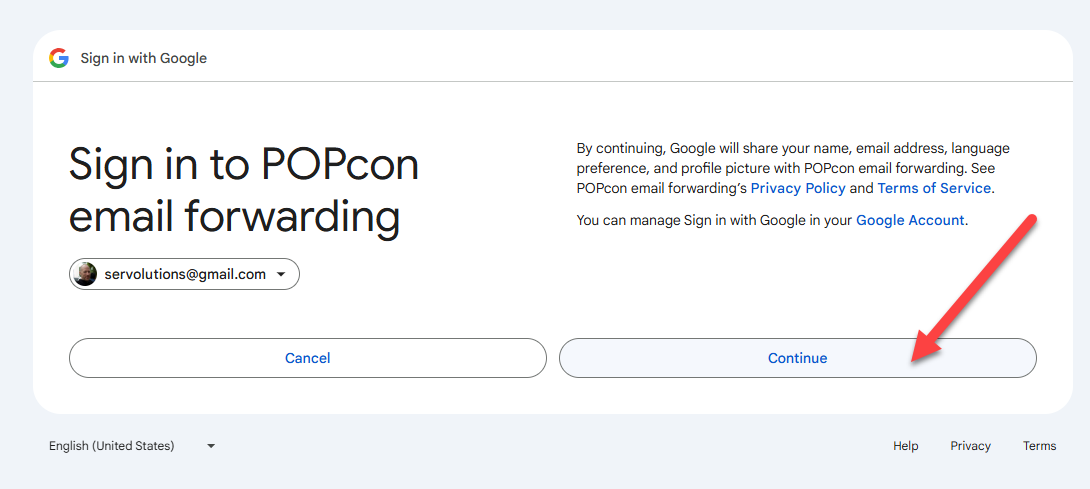
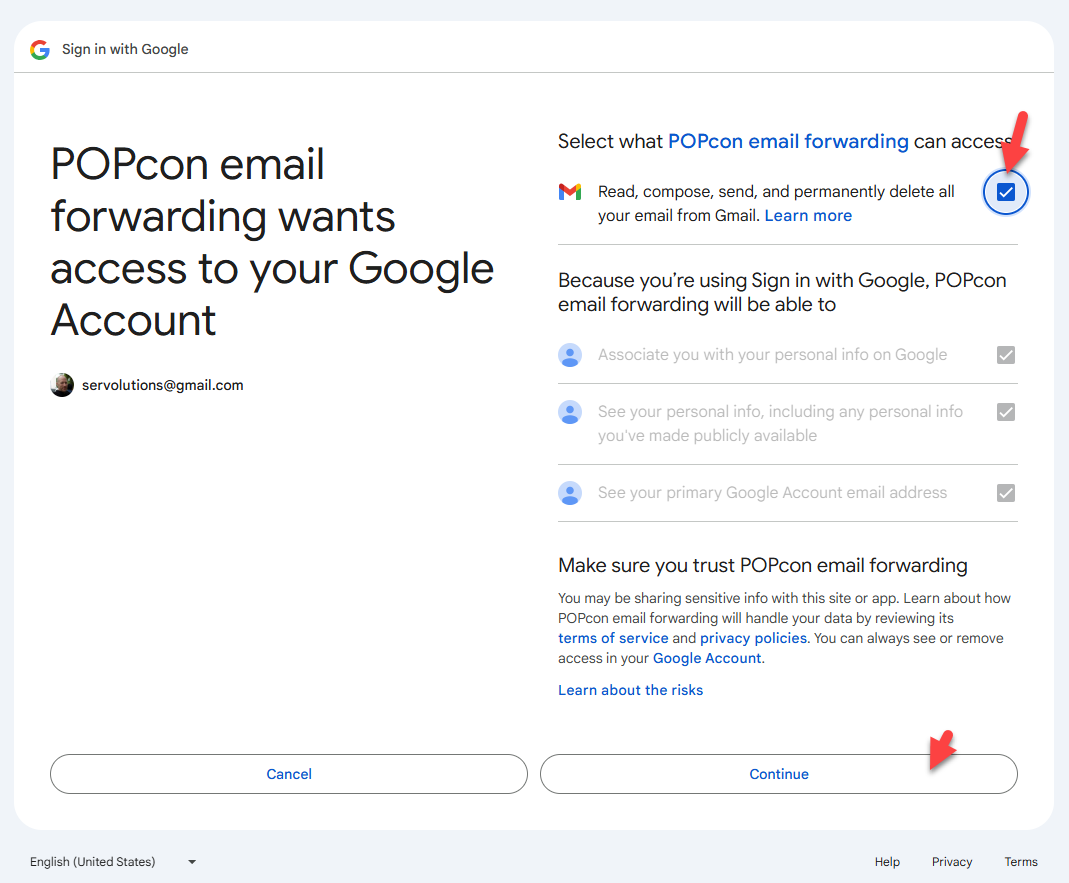
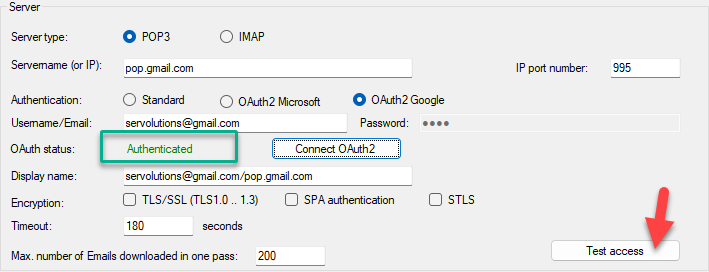
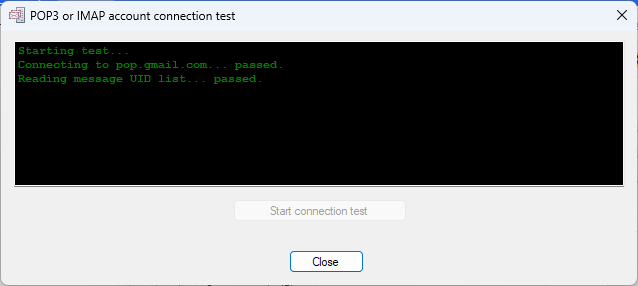
Note: The IP port number for Gmail IMAP with OAuth is 993, as shown below.Click on the Connect OAuth2 button to begin the OAuth authentication process. A web browser window will open, asking you to sign in with your Google account.Choose the Google account you want to authenticate with. Make sure to select the correct email account.Gmail will ask for permission to allow POPcon email forwarding to read, compose, and delete emails from your Gmail account. Select the checkbox to grant these permissions, and then click Continue.Google will display the requested permissions again, explaining what POPcon email forwarding will be able to do. Click Continue to proceed.Since POPcon is still undergoing Google’s verification process, you may see a warning stating that the app has not been verified. Click on Advanced and proceed by clicking Go to POPcon email forwarding (unsafe) to continue.Once the OAuth authentication is complete, you will see a confirmation message. You can close the browser window and return to POPcon.After authentication, the status in POPcon will show as Authenticated. You can now test the email account connection by clicking on the Test access button to ensure that everything is configured correctly.POPcon will test the connection to Gmail. If the test passes successfully, you are all set to retrieve emails from Gmail using OAuth authentication.