Exchange Intelligent Message Filtering (IMF) is rejecting the message as spam. The fix is to change the action from "Reject" to a non-blocking action.
Exchange 2003
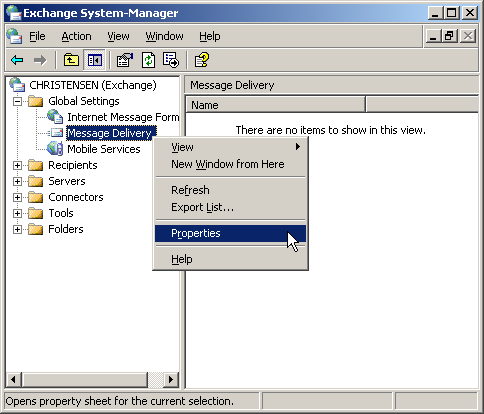
- Open Exchange System Manager.
- Go to Global Settings > Message Delivery Properties.
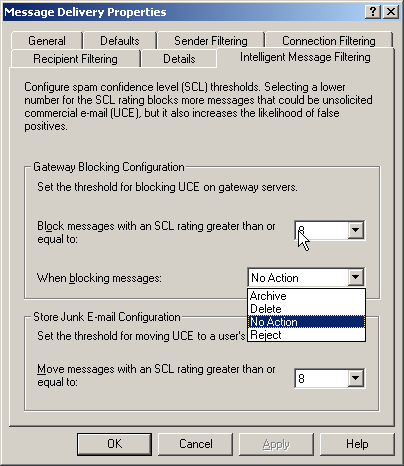
- Click the Intelligent Message Filtering tab.
- Under "When blocking messages", change the action to "No Action" or "Delete" (not "Reject").
Choosing "Delete" silently discards spam; "No Action" delivers everything. Either option prevents the SMTP rejection that causes the 550 error.
Screenshots — step by step