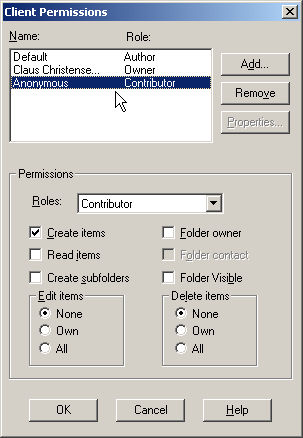
This is a permissions issue. Exchange public folders require the "Anonymous" user to have at least Contributor rights in order to receive email from external sources (including POPcon).
Fix
- In Outlook, right-click the public folder and choose Properties.
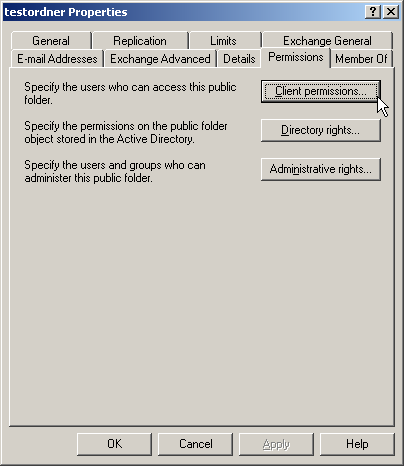
- Go to the Permissions tab.
- Click Client Permissions.
- Select the Anonymous user and set their role to Contributor.
- Click OK.
Screenshots — step by step