When Exchange rejects delivery for unknown recipients (users not in Active Directory), POPcon cannot forward the email and it stays in the queue.
Option A: Disable recipient filtering in Exchange
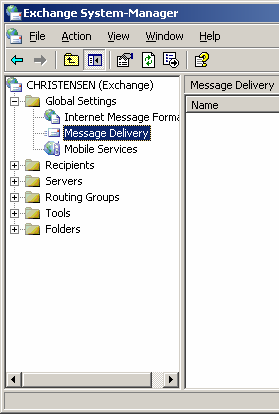
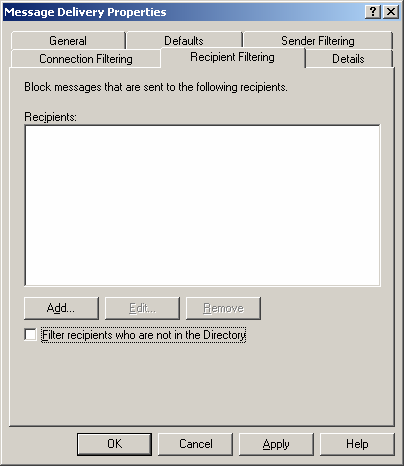
In Exchange System Manager, go to Global Settings > Message Delivery > Recipient Filtering and disable the filter. Exchange will then accept the message and generate an NDR internally.
Option B: Configure POPcon to re-route unknown recipients
In POPcon's POP3/IMAP configuration, enable "Re-route email to unknown recipients" and set a postmaster or catch-all address. Unknown recipients will be redirected there instead of getting stuck.
Screenshots — step by step